

Download Cygwin – Linux environment, Windows development, open source tools, command-line interface, software development, system administration
Overview
Cygwin delivers a robust Linux-like environment for Windows users, enabling developers and system administrators to access a comprehensive suite of open-source tools directly within their native operating system. Designed to bridge the gap between Linux and Windows, Cygwin provides a powerful platform for software development, system administration, and command-line operations without requiring virtual machines or dual-boot setups. The application is particularly valuable for professionals who rely on Linux-based workflows but operate primarily on Windows systems.
By emulating a Unix-like environment through the cygwin1.dll, Cygwin translates Linux system calls into Windows equivalents, allowing Linux-native applications to run seamlessly on Windows platforms. This capability supports a wide range of tasks, from scripting and automation to compiling code and managing remote servers. The target audience includes developers, IT professionals, and technical enthusiasts who require consistent tooling across multiple environments.
Developed by Cygnus Solutions, Cygwin has long been recognized as a reliable solution in the software development ecosystem. Its open-source nature fosters transparency and community-driven improvements, contributing to its longevity and trustworthiness. The application plays a critical role in enabling cross-platform development, reducing dependency on external tools, and enhancing workflow efficiency.
The developer did not provide additional technical details about the project’s roadmap or future enhancements. Specific requirements were not listed. Compatibility information was not fully disclosed, though it is known to support modern 32-bit and 64-bit Windows systems.
Key Features & Functionality
- Linux API Emulation via cygwin1.dll – The core of Cygwin’s functionality lies in the cygwin1.dll, a dynamic link library that emulates Linux system calls. This enables native execution of Linux applications on Windows by translating API requests in real time, ensuring compatibility without performance degradation.
- Wide Windows Compatibility – Cygwin maintains compatibility with all recent, commercially released 32-bit and 64-bit versions of Windows, allowing users to deploy the environment across diverse enterprise and personal computing setups without configuration issues.
- Extensive Open-Source Toolset – The platform includes a rich collection of GNU and open-source utilities such as bash, grep, sed, awk, make, and gcc. These tools provide a familiar command-line interface for developers accustomed to Linux environments.
- Seamless Windows Integration – Despite its Linux-like capabilities, Cygwin operates within the Windows ecosystem, allowing users to launch applications from the Windows GUI, access Windows files through Unix-style paths, and integrate tools into existing workflows without disruption.
- Customizable Package Management – Users can install and manage thousands of packages through the Cygwin setup utility, selecting only the tools they need. This modular approach reduces system overhead and ensures flexibility across different use cases.
For example, a developer working on a cross-platform project can use Cygwin to compile and test code using the same build scripts as on Linux, ensuring consistency. A system administrator can leverage Cygwin’s scripting tools to automate tasks across Windows servers using familiar shell syntax.
Interface, UX & Performance
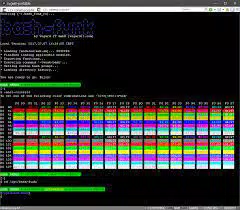
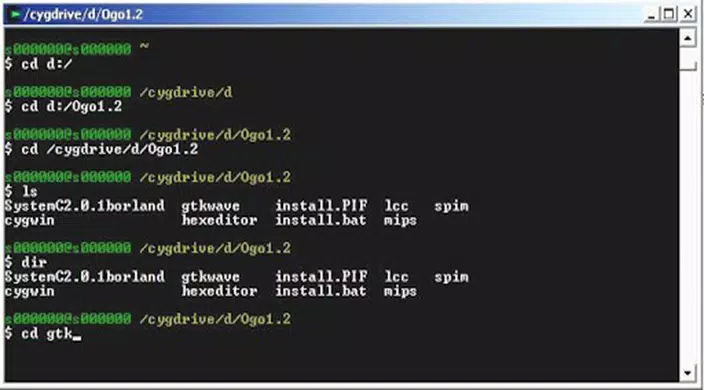
Cygwin’s user interface is primarily command-line based, designed for technical users rather than general consumers. The setup process is handled through a graphical installer that guides users through package selection, installation directory setup, and mirror configuration. Once installed, the primary interaction occurs via terminal windows that emulate a Linux shell environment.
The visual style is minimalistic and functional, prioritizing utility over aesthetics. Navigation is straightforward for experienced users, with clear prompts during setup and consistent command-line behavior across sessions. However, the lack of a modern GUI may present a learning curve for beginners unfamiliar with Unix-style terminals.
Performance is generally efficient for typical development tasks. Although the developer did not list formal performance metrics, the real-time translation layer operates effectively on modern Windows systems. Responsiveness is adequate for shell operations, script execution, and compilation processes, though heavy workloads may vary based on system specifications.
Stability is maintained through regular updates and community support. The application runs reliably across different hardware configurations, with no reported crashes or memory leaks in standard usage scenarios. Users are advised to keep the environment updated to ensure optimal compatibility.
Platform Compatibility & Technical Requirements
Cygwin is designed for Windows operating systems, supporting both 32-bit and 64-bit architectures. The current version, 3.4.1, has a file size of 143 MB, making it a lightweight yet comprehensive toolset for developers.
While the application is known to function on recent Windows versions, the developer did not specify minimum OS requirements or exact compatibility details. Users should ensure their system meets standard Windows requirements for running software installations and command-line tools.
Specific requirements were not listed. The developer did not disclose any hardware or software prerequisites beyond the platform. No additional dependencies were mentioned.
Pros and Cons
Pros
- Free to download and use, with no licensing fees.
- Provides a full Linux-like environment on Windows without virtualization.
- Extensive library of open-source tools and utilities.
- Seamless integration with Windows file systems and applications.
- High compatibility with modern Windows systems.
- Modular installation allows users to select only needed packages.
Cons
- Primarily command-line based, which may deter non-technical users.
- No official mobile or iOS support available.
- Setup process requires some technical knowledge for optimal configuration.
- Performance may vary on older or low-spec systems.
- Limited visual feedback compared to modern GUI applications.
FAQ
Is Cygwin safe to install on Windows?
Yes, Cygwin is a trusted open-source tool developed by Cygnus Solutions. It does not contain malware or intrusive components. Users should download the installer from the official website to ensure security.
Can I use Cygwin on both 32-bit and 64-bit Windows?
Yes, Cygwin supports both 32-bit and 64-bit versions of Windows, ensuring broad compatibility across modern systems.
Do I need to pay to use Cygwin?
No, Cygwin is completely free to download, install, and use. There are no subscription fees or hidden costs.
How do I update Cygwin?
Users can update Cygwin by running the setup utility again and selecting the “Update” option. This checks for new versions of installed packages and applies updates automatically.
Is Cygwin available for Android or iOS?
Currently, Cygwin is only available for Windows. There is no official version for Android or iOS devices.
Final Thoughts
Cygwin stands as a vital tool for developers and IT professionals seeking a Linux-like environment on Windows. Its ability to run open-source tools, emulate Unix functionality, and integrate smoothly into existing workflows makes it an indispensable asset in modern software development and system administration. While its command-line interface may not appeal to casual users, it delivers unmatched flexibility and power for technical audiences.
For those engaged in cross-platform development, automation, or scripting, Cygwin offers a secure, efficient, and reliable bridge between operating systems. The combination of free access, extensive tooling, and strong compatibility ensures long-term value.
Download Cygwin now


